


.png)

Ready to drive incremental growth with influencers?
If ditching the randomness of influencer campaigns and building a predictable, ROI-first influencer program sounds like a plan. Consider talking to our team!


Influencer Marketing
Discover 5 steps and a template to build an influencer calendar that gives you visibility before launches, events, and campaign panic collide.


Contents
It’s Monday. Your product team says they're ready for a launch on Friday. Your CMO says, “We should send some products to influencers. It'll help get the word out.”
Now you’re scrambling. DMing influencers, whether you've worked with them in the past or not. Offering rush rates. Sending half-formed creator briefs.
By Thursday, a few creators posted about early access. On Friday, there is an announcement on your website, and amazing posts on IG or TikTok. But no one else is talking about the product on social media. By Saturday, the moment is gone. You spent money and time, but influencer marketing didn't play any key role. Even though you know it works.
This happens because influencer marketing needs lead time.
You need time to choose the right creators, align them to the goal of the campaign, and give them enough context to create content that actually lands. When everything is done at the last minute, you end up working with whoever is free instead of whoever is right.
In this article, we’ll show how to build an influencer calendar that gives you that lead time.
You’ll learn how to map out the year and place campaigns on a calendar without locking dates too early. You'll know how to pressure-test plans against team capacity, and keep the calendar updated as things change.

Before getting into the steps, one quick clarification 👇
When people hear “calendar,” they often think of a posting schedule. That’s not what this is. A posting calendar is tactical. It involves dates, formats, captions, and actual deliverables. That usually lives with social or content teams.
This influencer campaign calendar serves a different purpose. It’s a planning layer that sits above execution. The goal is to see the year early, decide where influencer support makes sense, and make sure there's enough insight into what's coming so teams can plan the influencer campaign accordingly.
Marit Tiesema, influencer marketing consultant and advisor, points out that the value of an influencer calendar becomes most obvious during launches and seasonal moments, when timing and coordination really matter.
“For launch-driven campaigns, having a clear timeline is important, both to measure impact within a defined window and to make sure Social and Community teams know when content can be reposted and actively engaged with. Evergreen campaigns are different. The goal there is usually to go live as soon as possible, so there’s less pressure to share timelines broadly across teams. But even then, it’s still important to agree on clear deadlines with creators. Otherwise, it’s hard to justify ongoing investment in consistent communication.”
It works in layers.

Posting schedules come later, once the structure is already in place.
Now that you know what this calendar is meant to do, let's see how to build your influencer marketing calendar.
The goal of this step is to see everything that could ask for influencer support in the coming year or quarter.
But don’t open a calendar yet. Start by listing events that can happen.
Talk to different teams about:
When you go to other teams, expect some hesitation. People are often reluctant to share dates because they’re not sure if things will move, change, or get deprioritized later.
That’s okay. You don’t need exact dates to start planning. Knowing roughly which month or quarter something might happen in is enough to work with.
Here's what you can say:
“I’m not asking for confirmed dates or commitments. I just want a rough sense of what might be coming up so we’re not scrambling for creator partnerships later. Even ‘this could be around Q3’ or ‘sometime in summer’ is totally fine.”
If you skip this step, the calendar will reflect marketing’s view of the year, not the business’s. That’s when misalignment happens, and influencer marketing ends up scrambling at the last moment.
In larger teams, this coordination often needs a clear owner instead of living informally across functions. According to Marit, having a clear owner for cross-team coordination can also make a real difference.
“For seasonal or launch campaigns that depend on product or retail timelines, coordination shouldn’t fall only on the influencer marketer. You need a project manager aligning teams, instead of influencer managers chasing dates.”
Next, look back at last year. Scan for campaigns that clearly worked and could be repeated. If Valentine’s gifting campaign drove good sales, you can repeat it again.
If a campaign worked before, it usually worked because the setup made sense (the timing, the offer, the way creators talked about it). So you can reuse the same setup for another event like Mother's Day, or Christmas. That’s much easier than trying to come up with brand-new ideas that might or might not work.
Now you can start giving those moments space on the calendar.
Here we place our events on a yearly calendar. Think in terms of time blocks (weeks, or months), not days.
For moments tied to a fixed date, block time around the moment, not the moment itself.
For example, Valentine’s Day will always fall on February 14. But influencer work rarely happens on that one day. On your yearly calendar, block a week around it and label it “Valentine’s gifting.” That tells everyone that February already has a major influencer campaign coming up.
For bigger events like Black Friday or Christmas, you block 2-3 weeks, or even a month.
Not everything will come with a fixed date. Product launches, new flavors, or partnerships often move.
In those cases, place the campaign in the most likely month and block a week inside it. Add a note that it’s tentative. If the launch shifts, you move the block. The rest of the calendar stays intact.
As you do this, you’ll start seeing overlaps. You might notice Valentine’s gifting and a new product launch sitting in the same month, or even the same week. Don’t rush to fix that yet. At the yearly view, overlaps show you what the possible influencer campaigns you can run are. Many of these serve different goals and can coexist.

You only resolve conflicts later, when you zoom in quarter by quarter. That’s when you ask questions like:
At this point, the calendar shows everything you could run. The next step is about checking whether you should.
Once you’ve placed campaigns on the calendar, check whether your team can realistically run them.
Start by looking at the calendar all at once:
This shows you where the workload concentrates.
Now evaluate each campaign one by one.
Write down the name of the person responsible for moving this campaign forward. This person doesn’t need to do everything, but they need to get things done.
A campaign with 10 creators can easily involve dozens of emails, DMs, and status checks. Multiply that across overlapping campaigns, and the workload adds up fast. If no one owns the campaign, major things like influencer outreach or sending products to them get missed, and that derails the campaign.
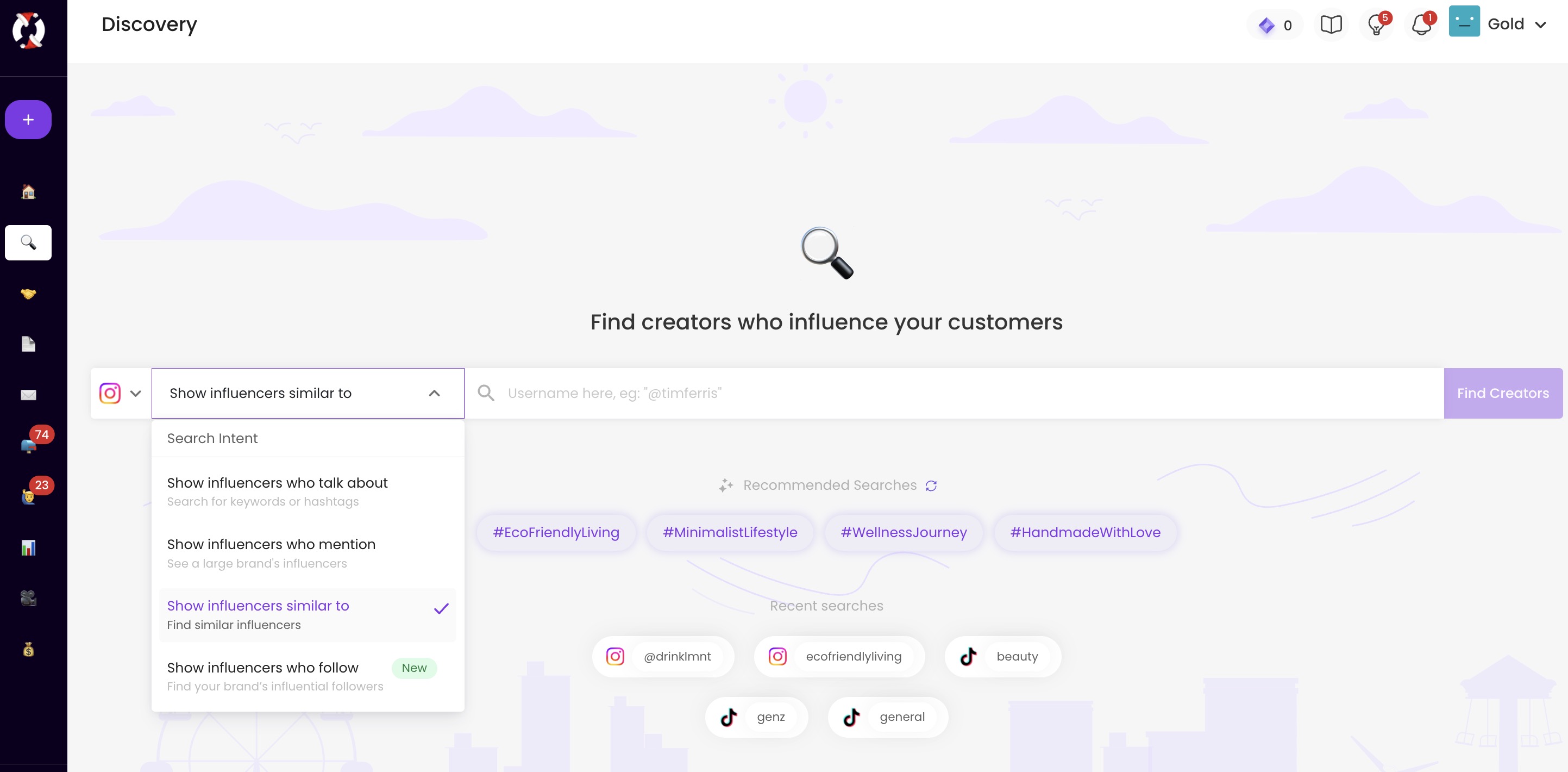
This is exactly where SARAL saves time by automating outreach sequences, tracking deliverables, and showing you reports in one place. This leaves you with enough time to focus on strategic decisions.
Check how many creator relationships one person can actively manage for a campaign without losing track.
A campaign with 10 creators can easily involve dozens of emails, DMs, and status checks. Multiply that across overlapping campaigns, and the workload adds up quickly.
Even if the workload looks manageable on paper, there’s one more reality check to run: things rarely happen exactly when planned.
Assume that some campaigns on your calendar could move by 1-2 weeks. It might be because of product delays, a change in plans, or budget issues. Now look at what that shift would actually cause.
There will be some campaigns that'll be okay because there's enough buffer time around them. Those are low risk, and you don't have to worry about them right now.
Other campaigns won’t be so forgiving. A two-week slip can create real issues. It might collide with another event owned by the same person, or push the work into a window where it no longer makes sense, like trying to run a swimsuit campaign after summer is already over.
If you see multiple moments stacked together that will not be possible for your team, you have three options:
If you don’t revisit the calendar regularly, it slowly turns into something that looks organized but no longer reflects what’s actually going to happen. So check your calendar once a month and check if it still matches how the next couple of months are shaping up. Update the calendar so it stays useful as a planning tool, not a wish list or a snapshot of how things looked three months ago.
Here are 3 questions you can ask:
Check if any teams shared updates on their timelines. Maybe a launch got pushed, an event moved, or a partnership didn’t happen. If something changed, update the calendar to match. The point is to keep the calendar in sync with what’s actually happening in the business.
You already looked at overlaps when you first built the calendar. This check is about seeing whether any of them have become harder to manage over time. Maybe dates moved, maybe new campaigns were added, or maybe someone is going on vacation soon.
Goals change quarter to quarter. A campaign that made sense earlier might no longer support what the business is focused on now. Maybe the focus shifted from growth to retention, from DTC to retail, or from launches to clearing inventory.

You don’t need complicated tools to build an influencer calendar. You can build it in a doc or spreadsheet. We've found that Notion works the best. It's easy to update, and costs nothing.
We’ve created a ready-to-use influencer calendar template that you can copy and adapt for your own team.

It comes with the key fields already set up, so you can add campaigns, block time, assign owners, and track status at a high level. You can view it as a table, switch to a calendar view, or filter by objective or owner.

Download the calendar template here and make a copy for your workspace →
Sign up for a 7-day email course on the unique "Predictable Influence" strategy used by top brands like Grüns, Obvi, Tabs Chocolate.

If ditching the randomness of influencer campaigns and building a predictable, ROI-first influencer program sounds like a plan. Consider talking to our team!
